Describe the outcome
Start with a simple prompt. The task-aware enhancer can add useful composition and quality instructions without replacing your idea.
IMAGE MODEL / Creative editing
Create images and make single-reference edits with GPT Image 2.5 Sunburst at medium quality. Compare the original and our real color-edit result before choosing.
Generate in your studio. Keep and download your results privately.
Start with a simple prompt. The task-aware enhancer can add useful composition and quality instructions without replacing your idea.
The exact credit cost is visible before generation. Failed or blocked jobs restore reserved credits once.
Results land in the same private creation history, even when you change models between attempts.
OpenAI describes Sunburst as the Images 2.5 model to choose when editing precision matters most, published as gpt-image-2.5-sunburst. It is the precision-oriented option in OpenAI’s Images 2.5 announcement. Our studio exposes its medium quality setting for new images and single-reference edits. The launch example below changes the color of an existing product image. It is useful for inspecting subject and layout preservation, but does not establish that Sunburst always outperforms Flare.
Choose Create with GPT Image 2.5 Sunburst above to open the studio with this model selected. A completed request costs 6 credits for one image. This is a separate option from GPT Image 2; choosing that older model does not select Images 2.5. Sign in, check your balance and read the selected model before submitting.
On September 9, 2026, we submitted the following prompt once at medium quality and 1024 × 1024 pixels. The displayed image is that output, without a paid retry or a selection from several alternatives. It contains one blue bottle, a silver cap, a round white pedestal and readable LUMA lettering. These are observations about this image, not a general text-accuracy score.
Create a clean studio product photograph of one cobalt blue glass bottle with a silver cap, on a round white pedestal against a pale beige background. Label the bottle LUMA in legible white letters. No other objects or text.
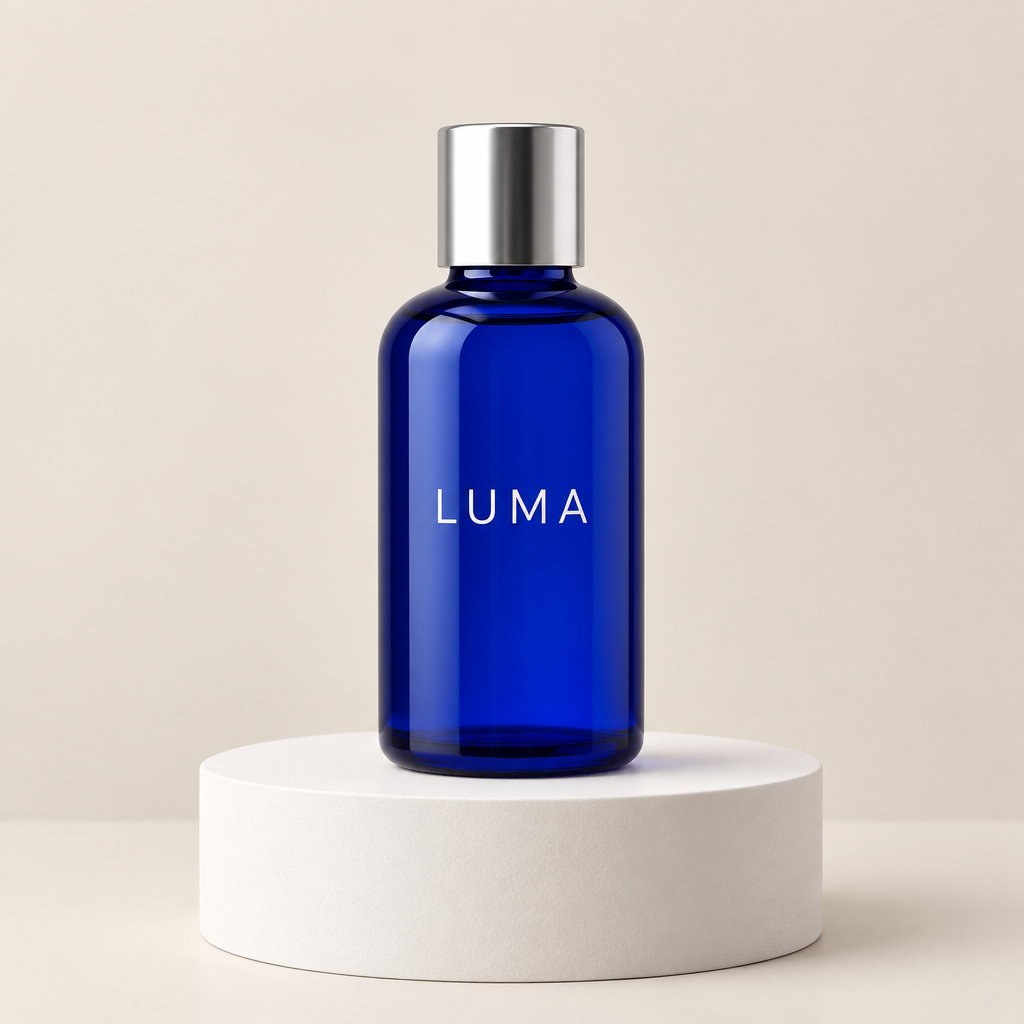
Check the outline, reflections, cap and label before judging the atmosphere. A plausible product image can still invent details. For an actual listing, compare the result with accurate product materials. This bottle is a synthetic demonstration, not a photograph of a product for sale.
The end-to-end API response took 12.8 seconds in this run. Queue load, prompt and reference processing can change the time for another request. This is a single retained run, not benchmark; it is not an average or a service guarantee.
For the editing check, both Images 2.5 variants received the same existing synthetic product advertisement shown below. This is a different source from the new bottle generation above. Keeping that distinction makes the before-and-after comparison meaningful. We requested only a color change and retained the first returned result.
Change only the bottle color to emerald green. Keep one bottle, its silver cap, label text, placement and the original background. Do not add objects.
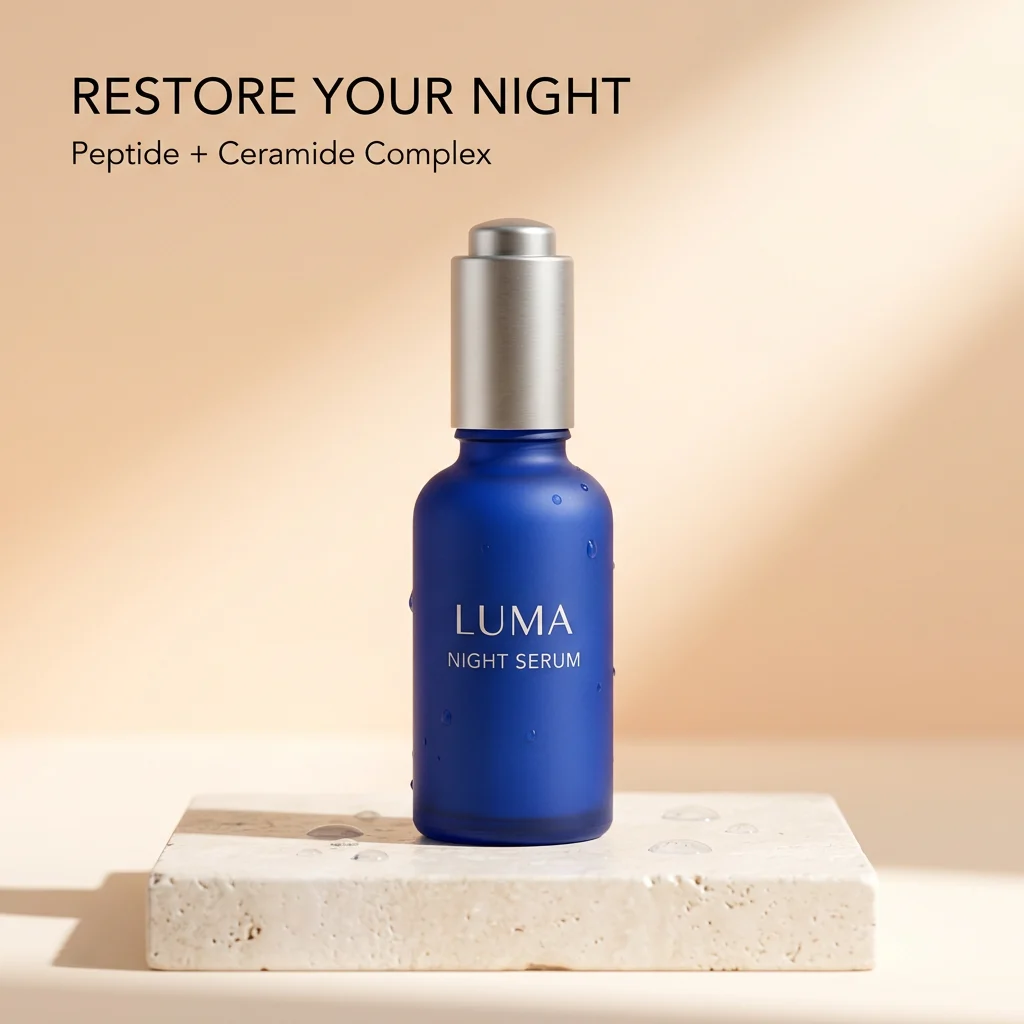
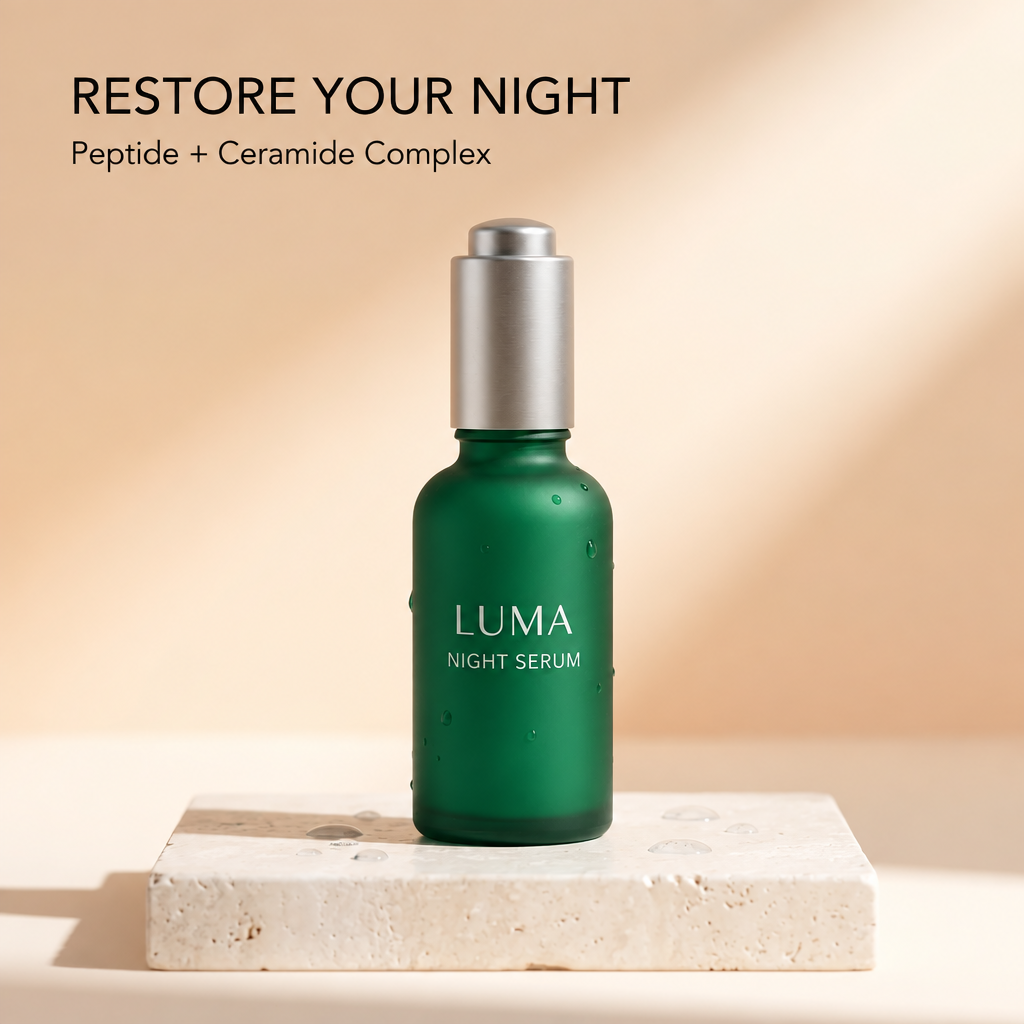
The bottle changed to green while the main wording, silver top and overall layout remained recognizable. Surface texture and small details differ from the source, so this is not a pixel-preserving recolor. The response took 16.2 seconds. We did not test repeated edits, faces, dense text, transparent output or production reliability in this two-request check.
The studio returns one image per request at medium quality. Choose square (1024 × 1024), portrait (896 × 1120) or landscape (1344 × 752) output. For editing, upload one optional JPG, PNG or WebP reference up to 5 MB and describe the requested change; a written prompt alone also works. The launch images above validate square output only; the portrait and landscape figures are the dimensions this studio requests and were not separately checked in that launch run. OpenAI’s public model pages list additional quality settings for these API models, while this studio requests medium and offers no quality selector. There is also no mask editor or multi-reference control here.
Generation and single-reference editing each cost 6 credits. Preparing a prompt or browsing these examples does not consume credits. A completed image that you dislike is still a completed generation; asking for another version uses credits again. A failed or blocked job restores its reserved credits once. Wait for the visible status before retrying, and use your creation history to reopen an existing result.
Read the Flare vs Sunburst quick comparison for official API image-token prices, studio credits and the limits of our single retained run, not benchmark.
Compare the same input and requested change on the other Images 2.5 model page. Inspect label spelling, object count, edges and details that were meant to stay. Our pair of small demonstrations does not support a universal ranking or prove the official speed difference. For your own comparison, decide what would count as a usable result before spending credits.
No. Sketch is a ChatGPT canvas feature. This studio uses written prompts and the reference upload described above. Read our Images 2.5 and Sketch guide for the distinction. The official release announcement describes the broader product, and OpenAI’s model page for GPT Image 2.5 Sunburst lists the API details cited above; our examples demonstrate only the controls and requests documented here.
Want the editing workflow without the rest of the model release notes? Open the dedicated product-color before-and-after guide, which places the same source beside both retained edits and lists the checks to make before publishing.
Download a useful result before experimenting further. Use Image Compare to review two files, Add Text for exact final captions, or Image Crop to frame an existing output. These local tools do not regenerate the scene. If exact packaging or unchanged pixels are essential, keep the original editable artwork and use it for final production.
COMPARE BEFORE YOU SPEND