Describe the outcome
Start with a simple prompt. The task-aware enhancer can add useful composition and quality instructions without replacing your idea.
NEW · QUALIFIED
A creative option for cinematic realism, rich atmosphere and strong art direction from natural-language prompts.
OWNER-APPROVED REAL OUTPUT
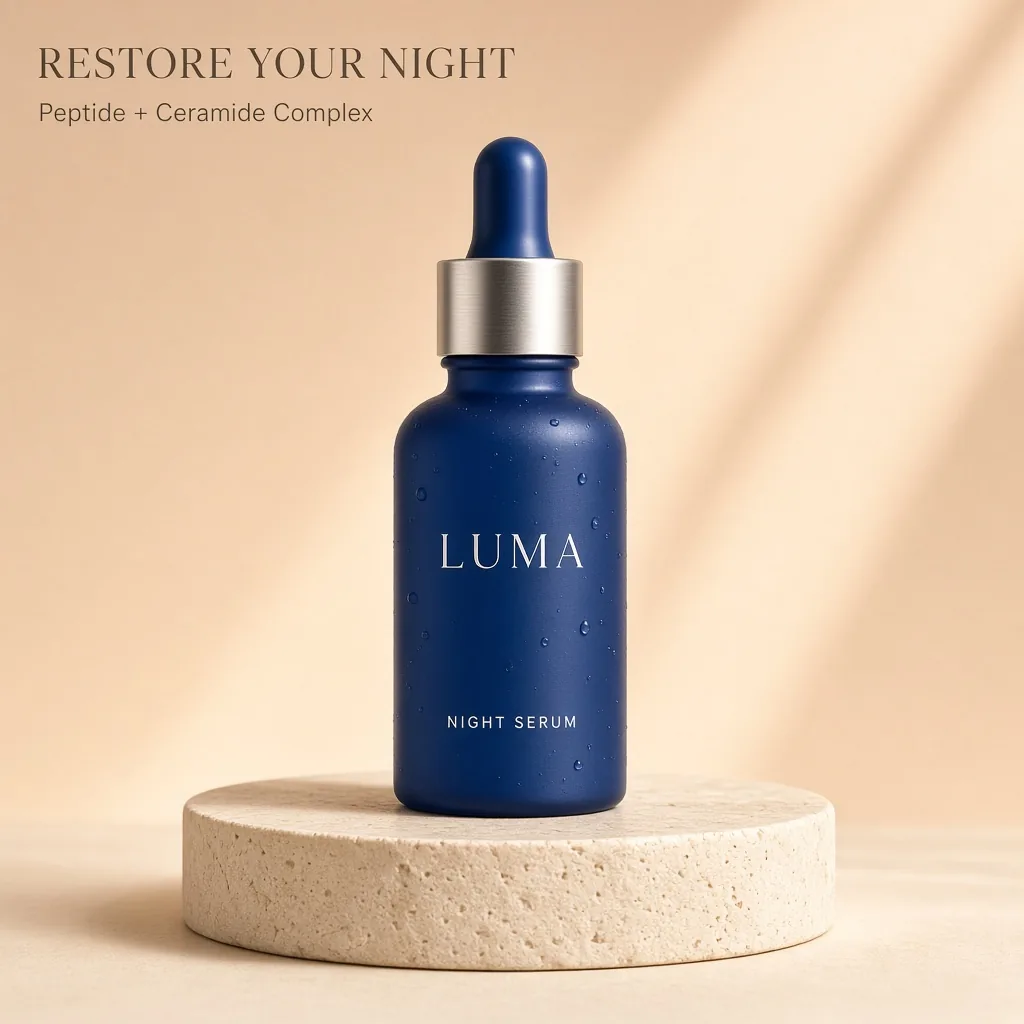
This is one paid 1024×1024 run using the same LUMA Night Serum prompt as the other model examples—no paid retry and no selected best-of batch.
Start with a simple prompt. The task-aware enhancer can add useful composition and quality instructions without replacing your idea.
The exact credit cost is visible before generation. Failed or blocked jobs restore reserved credits once.
Results land in the same private creation history, even when you change models between attempts.
Grok Imagine Image 2 is an image model in this workspace. It is not the Grok video workflow, and this page does not generate motion, sound or a video file. Use it to explore a still scene with a clear mood, lighting direction and visual composition. Cinematic wording is an art-direction request, not a guarantee of photographic accuracy. Specify the elements that must be visible and avoid combining several conflicting camera positions in one prompt. The generated result still needs ordinary visual review.
Adapt this illustrative prompt to your own subject. It is not the prompt used for the shared product example above, and no output is claimed for this example.
Create a wide still image of a quiet train platform just after rain, with a single traveler seen from behind under a dark umbrella. Use cool evening light, restrained reflections and a clear vanishing point. Keep station signs blank and avoid crowds. This is one still frame, not a video.
Review perspective, the umbrella shape, body proportions and reflections. Decide whether the traveler remains the focal point or disappears into the scene. If the image feels too busy, simplify the subject and background instructions rather than adding more stylistic adjectives. This prompt is a suggested exercise, not a published test result or a claim that a particular film look is reproduced. A cinematic atmosphere does not make an image evidence of a real event or location. Label and use generated scenes appropriately for your context.
Create a still concept first and save it before planning any motion workflow. Video generation is not connected through this model page. For an uploaded reference edit, describe the intended visual change and inspect the original subject afterward; the interface supplies one source image. If your finished image needs exact captions or a different aspect ratio, use the local text and crop tools. If your goal is an animation from several existing stills, GIF Maker can assemble those frames, but it does not invent movement between them.
The catalog currently lists 6 credits per image for this option. The amount shown in the studio before submission is the relevant check for your request. Browsing a model page and preparing a prompt do not generate an image. A new generation is a new request, including when you change only a few words. Plan a small comparison around a specific question rather than repeatedly submitting the same uncertain brief.
The shared commercial example shows one completed output from the same product-ad brief used on the other model pages. It helps you inspect that particular composition and visible lettering. It is not a statistically representative benchmark, a promise about average speed, or a guarantee of success on your own materials. Compare the full images instead of treating a badge or a short role description as a universal ranking. Model choice is most useful when tied to the detail you actually need to improve.
Generated results are flat images. They do not restore the source document, editable text boxes, vectors or separately selectable objects. An instruction to preserve a detail is not a pixel lock. For exact wording on an otherwise finished image, use a deterministic text overlay when that fits the task. For exact changes to an existing design, the original editable file is often the clearest route. Keep the source image so that you can compare changes and return to it if a generated revision is unsuitable.
Separate a completed image that does not match your preference from a failed generation. A successful output may still need a different composition or more accurate wording; another attempt uses credits. If the interface reports a failure, follow its visible status and check your balance before retrying. Do not submit several duplicate requests while waiting. Save a useful result before experimenting further, and inspect the downloaded file at its intended display size rather than relying only on the studio thumbnail.
The August 7, 2026 announcement identifies Quality Mode on grok.com/imagine and the Grok iOS/Android apps, with API name grok-imagine-image-2.0. xAI emphasizes instruction following, small text, layout and preserving input content across generation and editing. These are official claims, not our own multi-turn consistency benchmark. PromptToVisual is an independent studio using its existing provider integration, not Grok itself; the consumer app features are not automatically available here.
See the Imagine API overview and capability documentation for xAI's current interface. Our studio's reference limits and displayed credits govern requests made here.
Video 1.5 was announced on June 16, 2026, with image-to-video generally available in the API as grok-imagine-video-1.5. Video 1.5 Fast is also offered in Grok's web and mobile apps. A still image can be a starting point, but video is a separate model and request. PromptToVisual has not enabled this video model. Consult the video model documentation; do not infer video output from this image generator.
Add exact text · Compare two images · Crop the finished image · Read the tested poster-edit guide
Z-Image Turbo →Nano Banana 2 Lite →Qwen Image 3 Pro →GPT Image 2 →Nano Banana 2.1 →GPT Image 2.5 Flare →GPT Image 2.5 Sunburst →
COMPARE BEFORE YOU SPEND