Describe the outcome
Start with a simple prompt. The task-aware enhancer can add useful composition and quality instructions without replacing your idea.
TEXT · QUALIFIED
A layout-focused model for structured commercial graphics where readable text and precise placement matter.
OWNER-APPROVED REAL OUTPUT
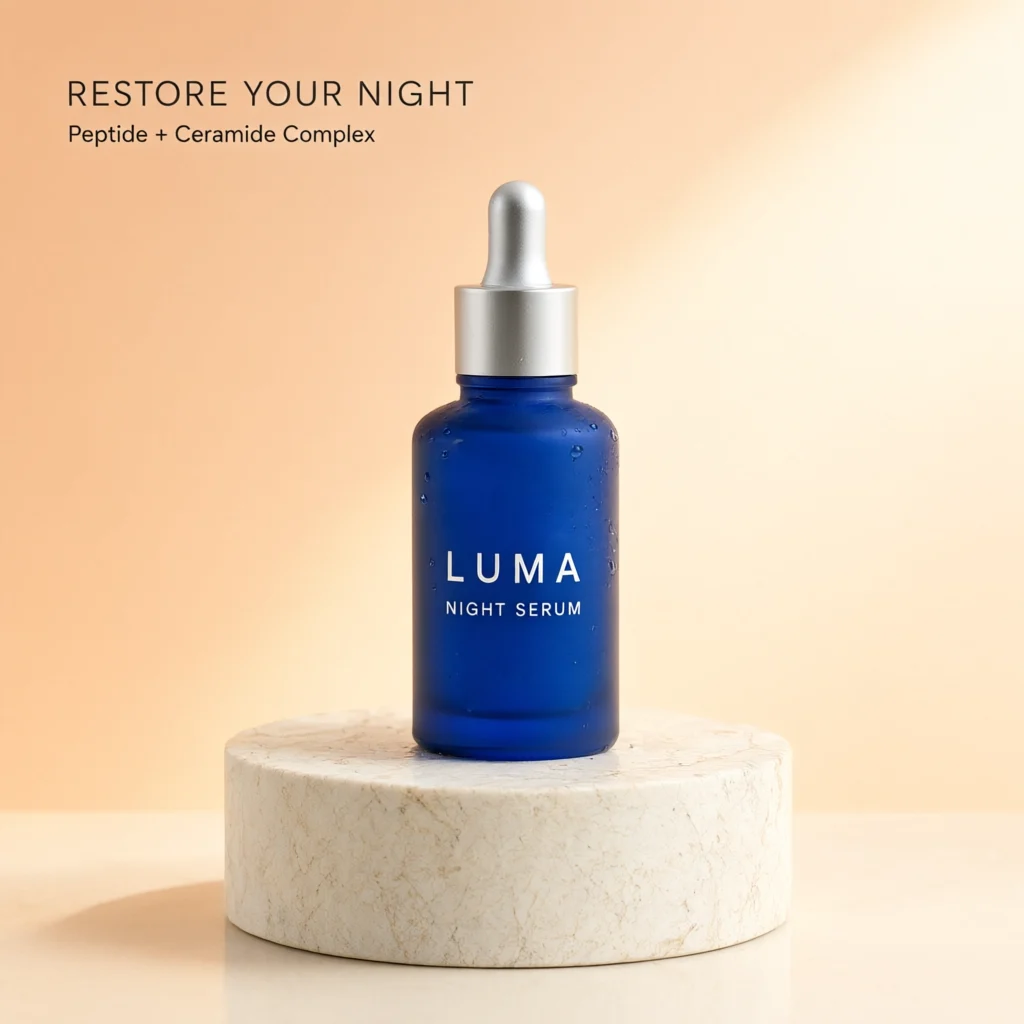
This is one paid 1024×1024 run using the same LUMA Night Serum prompt as the other model examples—no paid retry and no selected best-of batch.
Start with a simple prompt. The task-aware enhancer can add useful composition and quality instructions without replacing your idea.
The exact credit cost is visible before generation. Failed or blocked jobs restore reserved credits once.
Results land in the same private creation history, even when you change models between attempts.
Qwen Image 3 Pro is positioned here for layouts, poster wording and reference-image edits. The useful distinction is between generating a visual that contains text and typesetting exact text with an editor. Generated words and surrounding artwork need proofreading. In our existing poster tutorial, the requested date and venue changed correctly, while other lettering and pixels changed too. That single English-poster example supports a narrow workflow demonstration; it does not establish reliability for dense schedules, QR codes, every language or unchanged brand artwork.
Adapt this illustrative prompt to your own subject. It is not the prompt used for the shared product example above, and no output is claimed for this example.
Edit the supplied poster. Replace the exact words "FRIDAY EVENING" with "SATURDAY MORNING". Preserve the other wording, illustration, colors and layout as closely as possible. Do not add new text. Return the complete poster, including all margins.
Read the replacement first, then read everything you did not request to change. Check dates, prices, names, punctuation and the smallest text. Compare borders, logos and illustrations as well as the main headline. The preservation instruction is a request, not a pixel-lock feature. If a booking address or QR code matters, verify it separately before publishing. Keep the editable source file whenever one exists, because this workflow generates a flat image rather than recovering text boxes or the original font settings.
Use the linked poster-edit tutorial to see the actual before-and-after evidence and its limitations. Check our original and edited poster downloads to see why full-image proofreading matters even after the replacement words appear correct. For a new caption over an otherwise finished photo, Add Text is simpler and does not consume generation credits. For a full visual redesign, describe the hierarchy of information and leave room for later exact typesetting. Comparing Qwen with GPT Image 2 can be useful when both are plausible for your task, but our shared sample is one brief rather than a universal quality ranking.
The catalog currently lists 4 credits per image for this option. The amount shown in the studio before submission is the relevant check for your request. Browsing a model page and preparing a prompt do not generate an image. A new generation is a new request, including when you change only a few words. Plan a small comparison around a specific question rather than repeatedly submitting the same uncertain brief.
The shared commercial example shows one completed output from the same product-ad brief used on the other model pages. It helps you inspect that particular composition and visible lettering. It is not a statistically representative benchmark, a promise about average speed, or a guarantee of success on your own materials. Compare the full images instead of treating a badge or a short role description as a universal ranking. Model choice is most useful when tied to the detail you actually need to improve.
Generated results are flat images. They do not restore the source document, editable text boxes, vectors or separately selectable objects. An instruction to preserve a detail is not a pixel lock. For exact wording on an otherwise finished image, use a deterministic text overlay when that fits the task. For exact changes to an existing design, the original editable file is often the clearest route. Keep the source image so that you can compare changes and return to it if a generated revision is unsuitable.
Separate a completed image that does not match your preference from a failed generation. A successful output may still need a different composition or more accurate wording; another attempt uses credits. If the interface reports a failure, follow its visible status and check your balance before retrying. Do not submit several duplicate requests while waiting. Save a useful result before experimenting further, and inspect the downloaded file at its intended display size rather than relying only on the studio thumbnail.
Add exact text · Compare two images · Crop the finished image · Read the tested poster-edit guide
Z-Image Turbo →Nano Banana 2 Lite →GPT Image 2 →Nano Banana 2.1 →GPT Image 2.5 Flare →GPT Image 2.5 Sunburst →Grok Imagine Image 2 →
COMPARE BEFORE YOU SPEND